


Magisto - Video Editor & Music
4.593.86K Reviews
App Specs
- Version
- 6.27.1.21200
- Updated On
- License
- Free
- Downloads
- 50,000,000+
- Developer
- Magisto by Vimeo
- Categories
- Video Players & Editors
- Platform
- Android, iOS
Screenshots
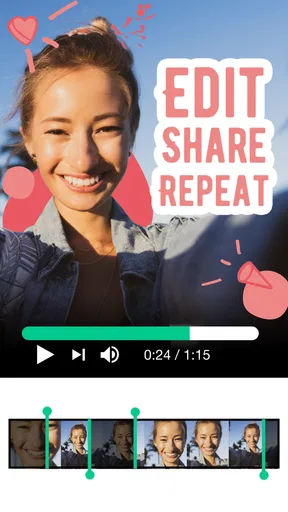
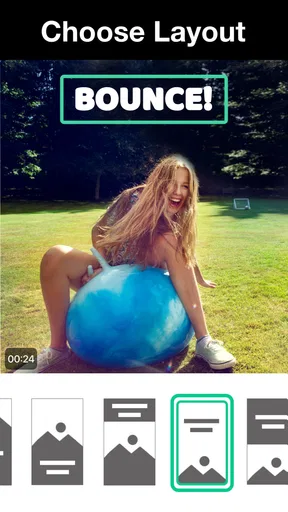
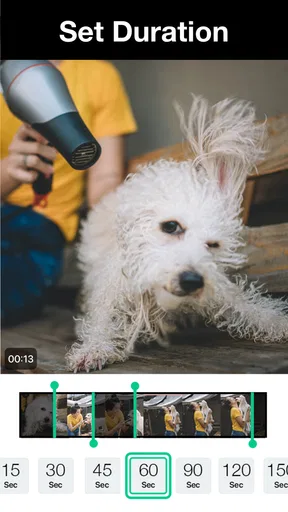
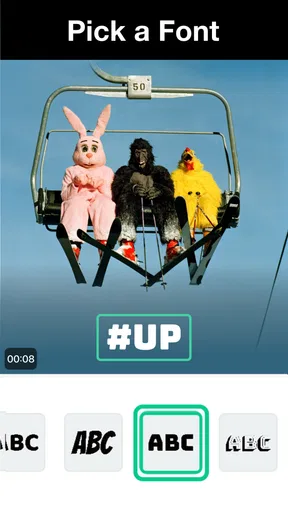

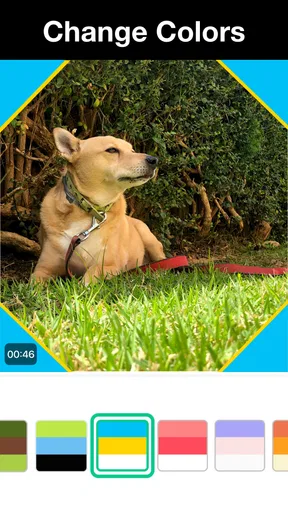

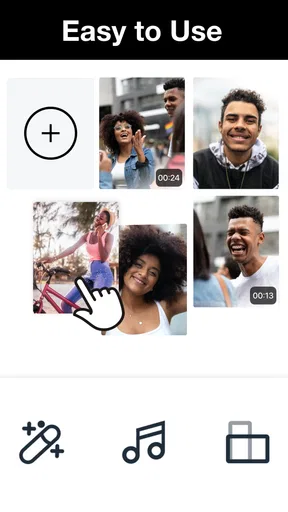
 Analysis by AppCompare
I find Magisto - Video Editor & Music most appealing when I want a finished-looking video without turning a quick project into an editing session. It takes an automatic, style-led approach: I choose material and a direction, then let the app do much of the arranging. That makes it a different kind of tool from a traditional timeline editor, where every cut and transition is up to me. The trade-off is worth understanding before you start: speed and convenience are the draw, while detailed control is not the main point.
What “quick” editing really means
Magisto is a video editor in the Video Players & Editors category, developed by Magisto by Vimeo. Its central promise in practice is less about shaving seconds off every individual edit and more about reducing the number of choices I have to make. Instead of building a sequence from scratch, I can hand the app a group of clips and photos and use a style to give them a more coherent feel. That is useful when the footage matters more than the mechanics of editing.
I would still leave time for reviewing the result. Automatic editing can make a first pass feel quick, but it cannot know which brief moment matters most to me, or which clip I would rather leave out. A sensible workflow is to pick a small, purposeful batch of material, preview the assembled video, and then adjust the selection or style if the emphasis feels off. This is usually faster than feeding in every clip from an event and trying to rescue an unfocused montage afterward.
Where it fits in a real day
Imagine I have taken a handful of short clips and photos during a family outing and want to send relatives a watchable recap that evening. Magisto suits that job better than opening a full editor, learning a timeline, and deciding every cut manually. I can focus on choosing moments that tell the story, then let the app handle much of the presentation. The same approach can work for a small business owner who needs a tidy social post from product footage, or for someone who wants a quick slideshow without assembling every transition by hand.
For a stronger result, I would sort the source material before starting: keep a few clear highlights, remove near-duplicates, and think about the mood I want the music and style to convey. That small bit of preparation matters because automated editing is only as focused as the material it receives. It also gives me a practical answer to a common question: do I need editing experience? Not for a simple montage, though a little judgment about what to include will make the outcome feel much more personal.
Performance depends on the project
Magisto’s editing approach can make short, straightforward projects feel less demanding than building them clip by clip in a conventional editor. But a large batch of long recordings is a different proposition: selecting, reviewing, and processing more material naturally adds work, and the automatic result may take more rounds of adjustment to match what I had in mind. I would not treat it as a shortcut for every kind of video. For a quick recap, it makes sense; for a carefully paced tutorial or a project with exact cuts, manual editing is likely the better route.
I also avoid judging a finished video only by how quickly I reached the preview. I check that the important moment has not been lost among less useful shots and that the music supports rather than distracts from the footage. If the project feels busy, reducing the amount of source material is often a better fix than layering on more effects. This is one of the less obvious strengths of a guided editor: it encourages a simple workflow, but good selection still does the heavy lifting.
Worth Reading Before You Choose

Flipboard Shows What News Apps Must Do Beyond the Feed

Switching to Android Auto Means Rethinking Your Driving Routine

Google Calendar Makes a Crowded Week Easier to Manage

Ludo King Makes the Most of the Minutes Between Plans

Baby Panda World Brings Quick Play to Modern Phones, but Its Game Library Feels Busy

ESPN’s Live Game View Makes Following Close Games Easier
Stability, storage, and practical limits
For everyday use, I would approach the app as a convenient editor rather than a place to keep every version of a video. Save or share a finished copy when it is ready, and keep important original clips elsewhere as well. That is a sensible habit with any mobile editing workflow, especially when a project contains footage I would not want to lose. If something takes longer than expected, I would first try a smaller selection of clips rather than repeatedly asking the app to handle a very large batch.
It is also worth separating editing ease from creative control. A preset style can make unrelated shots feel like one piece, but the same stylized treatment may not suit a quiet family memory, a product demonstration, and a business announcement equally well. I would preview more than one direction before settling on a look, and avoid assuming that a polished transition automatically improves the story. Magisto is most useful when I am happy to let the app make some presentation decisions; it is less satisfying when every beat must land exactly where I choose.
Who should choose another editor
If I need frame-by-frame precision, a complex layered composition, or exact control over timing, I would start with a traditional timeline-based editor instead. Those tools ask more of me, but they are a better match when the edit itself is the craft. Magisto is also not the ideal choice if I want to spend a long session experimenting with every cut and effect. Its appeal is that it takes routine assembly off my hands, not that it replaces a dedicated editor’s depth.
On the other hand, someone making occasional social clips, event recaps, or simple promotional videos may appreciate having a guided route from raw material to something shareable. The audience rating is 4.6 from around 1.2 million ratings, and the app has been installed over 50 million times, which suggests it has broad reach among mobile users. Those figures do not tell me whether its automated style suits a particular project, so I would decide based on the kind of control I want rather than popularity alone.
Getting Started with Magisto
First things first, downloading and setting up Magisto is a breeze. Available on both Android and iOS, the app greets you with a clean interface that's as inviting as a warm cup of coffee on a chilly morning. Creating an account or logging in is straightforward, and before you know it, you're ready to dive into the world of video editing.
Features That Make a Difference
What sets Magisto apart from the sea of other video editing apps is its AI-driven technology. This isn't just a fancy term; the app genuinely analyzes your videos and photos to suggest the best edits. Whether you’re a newbie or a seasoned editor, this feature saves you a ton of time and effort.
The app offers a variety of editing styles and themes, ranging from business presentations to personal vlogs. You can add music from its vast library or your own collection, giving your videos that perfect vibe. The transitions are smooth, and the filters add just the right amount of flair without overwhelming the content.
Intuitive Editing Experience
Using Magisto feels like having a personal assistant who knows exactly what you want. The drag-and-drop functionality makes it easy to organize clips, and trimming videos is as simple as pie. Even if you make a mistake, the app’s undo feature is a lifesaver, allowing you to correct without losing your cool.
One highlight is the ability to include text and stickers, which adds a playful touch to your videos. Whether you're creating a fun birthday montage or a professional promo, these elements can elevate your project to new heights.
Sharing Your Masterpiece
Once your video is ready, sharing it is a cinch. Magisto connects seamlessly with social media platforms, so you can showcase your creation on Instagram, Facebook, or YouTube with just a few taps. There’s also an option to download your video in HD, ensuring it looks crisp and clear wherever you choose to display it.
Pricing and Subscription
Magisto is free to download and is rated for Everyone. Its current version is 6.27.1.21200 and it supports Android 6.0 and later, so owners of older devices may have a chance to use it, though the editing experience will also depend on the phone’s available resources and the size of the project. The app includes in-app purchases ranging from $0.99 to $200.00 per item. I would start with a small test project before paying, then check whether the style choices and editing control are enough for the videos I actually make.
The pricing structure is another reason to be clear about what I need. If I only make the occasional short recap, a free starting point may be sufficient to see whether the workflow suits me. Someone who edits regularly should compare the available purchase options with how often they will use the app, rather than assuming that a paid tier automatically solves every limitation. A subscription or purchase is most worthwhile when its added options match a repeat need, not simply because a project would look better with more effects.
Final Thoughts
In the world of video editing apps, Magisto - Video Editor & Music stands out as a top contender. Its ease of use, coupled with powerful features, makes it an ideal choice for anyone looking to create polished videos without the hassle. Whether you’re a hobbyist or a small business owner, this app has something useful to offer. I would recommend it to someone who values a quick, guided edit and is comfortable giving up some fine-grained control. If you want to shape every cut yourself, a timeline editor will be a better fit. For everyone else, Magisto can turn a modest collection of clips into a shareable story with less hands-on work.
Pros
- User-friendly interface for beginners.
- Wide range of editing tools available.
- High-quality video output.
- Quick processing time for edits.
- Built-in music library enhances videos.
Cons
- Limited features in free version.
- Occasional app crashes reported.
- Watermark on free version exports.
- Subscription price can be high.
- Requires internet for full functionality.
FAQs for Magisto - Video Editor & Music
What features does Magisto offer for video editing?
Magisto provides a range of features including automatic video stabilization, filters, themes, and music tracks. Users can also manually edit videos with trimming, merging, and adding text or stickers. The app's AI-driven editing capabilities are designed to create professional-looking videos effortlessly, making it suitable for both beginners and experienced creators.
Is Magisto free to use, or are there any subscription fees?
Magisto offers a free version with basic features, but to unlock advanced editing tools, HD downloads, and premium content, users can opt for a subscription. The app provides various plans, including monthly and annual options, giving users flexibility based on their editing needs and budget.
How user-friendly is Magisto for beginners?
Magisto is known for its user-friendly interface, which is ideal for beginners. The app’s AI-driven features simplify the editing process by automatically enhancing videos, allowing users to create polished content with minimal effort. Its intuitive design ensures that even those with no prior editing experience can navigate and use the app effectively.
Can Magisto be used for professional video projects?
While Magisto is primarily designed for casual users and small projects, it does offer features that can be useful for professional video creation. The app’s advanced editing tools, combined with its selection of themes and music, allow for the creation of high-quality videos. However, for more complex projects, users might need additional software.
What are the system requirements for using Magisto on mobile devices?
Magisto is available on both Android and iOS devices. For Android users, the app requires version 5.0 and up, while iOS users need version 12.0 or later. It's important to have a device with sufficient storage and processing power to ensure smooth performance, especially when editing longer videos.


